


When purchasing a VPS, many users care about one key question: Is this IP actually a residential IP? Why do some websites show it as an ISP residential IP, while others show it as an IDC / data center IP? This happens because different IP lookup websites use different data sources and classification logic, so it is normal for the same IP to show different results on different platforms.
1. How to use IPinfo.io to check whether an IP is residential
IPinfo.io is a long-established IP data company founded in the United States in 2013. It processes over 1 billion API requests per day, and its database is refreshed on a 24-hour cycle and is widely used by many well-known overseas companies and platforms, such as The New York Times, Fingerprint, and ITV. Because of its wide adoption and stable data system, to reduce misunderstandings, we recommend users check IPs through the authoritative website IPinfo.io and use its AS Type as the main judgment standard.
We have noticed that Chinese IP lookup websites such as Ping0.cc can indeed be used as an additional reference. For example, they may sometimes recognize the dual-ISP nature of our IPs and may also show a lower risk score. However, the data sources and classification logic of these websites are not always consistent with mainstream overseas platforms, and they often mark dual-ISP residential IPs as “IDC data center IPs.” Therefore, Ping0.cc is more suitable as a supporting reference, not as the core standard for judging IP attributes. To avoid disputes caused by inconsistent standards across different lookup websites, we uniformly use the AS Type result from IPinfo.io as the standard for judging IP attributes.
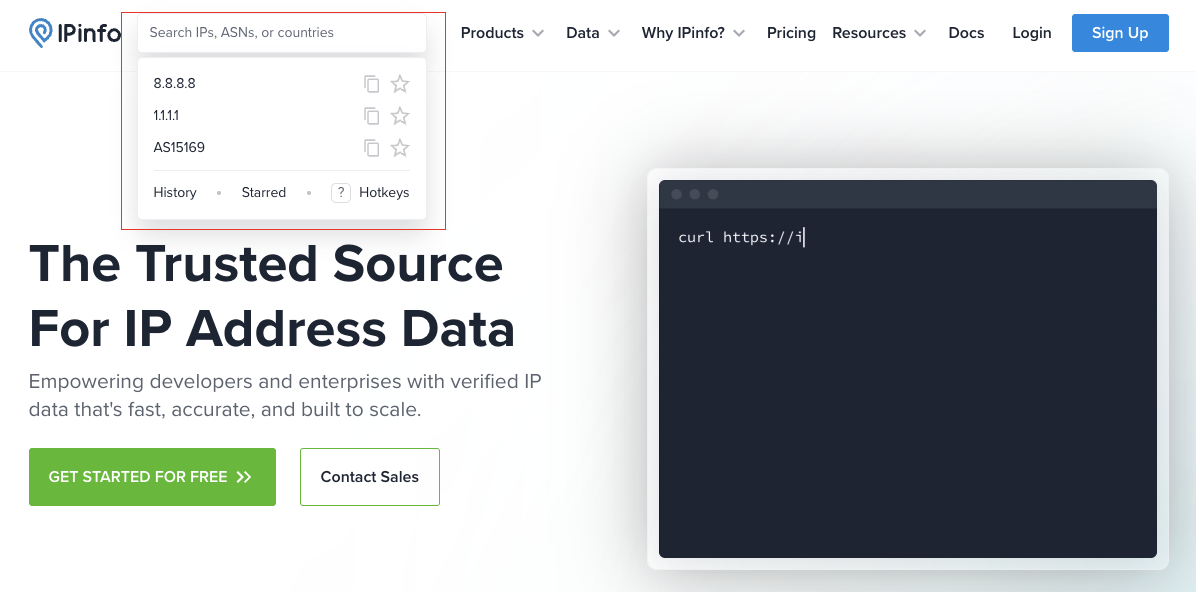
First, open the IPinfo.io website and enter the IP address you want to check at the top of the page. For example, you can enter our test IP: 38.127.121.12, then press Enter to search.
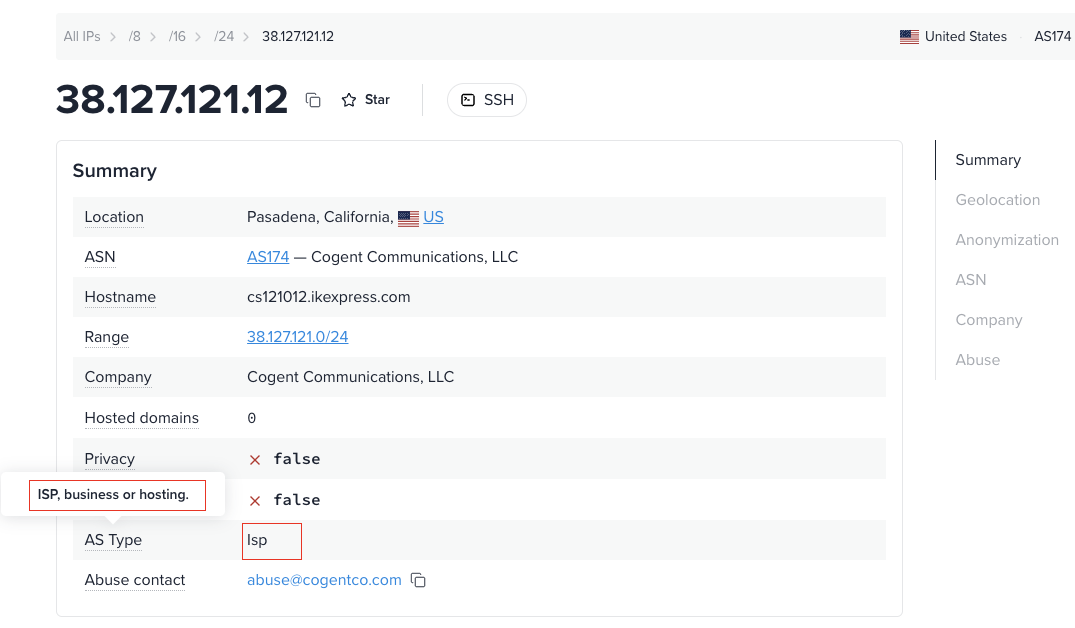
When judging the attribute of an IP, you should not only look at labels such as “residential,” “data center,” or “risk score” shown by a random website. The more important thing is the type of ASN this IP belongs to. ASN stands for Autonomous System Number. You can simply understand it as “the company or network operator this IP belongs to.” This is similar to checking which carrier a phone number belongs to. Just like a phone number may belong to China Mobile, China Unicom, or China Telecom, an IP also belongs to a specific ASN. If this ASN is shown as ISP on IPinfo.io, it can be judged as a residential network. If it is shown as hosting, then it is a data center network. In the IPinfo.io query result, we recommend checking the AS Type field first. The common results include:
- ISP: Internet Service Provider. In simple terms, this means a residential / carrier network.
- Hosting: Hosting, cloud server, or data center network, which means a data center IP.
- Business: Business network or enterprise dedicated line. It is not the same as residential, but it is also not the same as data center hosting.
Therefore, if the AS Type on IPinfo.io shows ISP, it means the network this IP belongs to is classified by IPinfo.io as an Internet Service Provider network, which means it is a residential IP. We use this as our unified judgment standard. From the test result below, you can see that our test IP shows ISP in the AS Type field, so it can be judged as an ISP-type carrier residential network.
Why don’t we use other platforms?
Different third-party lookup platforms may use different data sources, update frequencies, identification logic, and display methods, so it is normal for the same IP address to show different labels on different platforms. We do not recommend referring to Ping0, ipjiance, or similar Chinese IP-checking platforms. For details, please see Explanation of Ping0 and ipjiance Query Results. Even if you still choose to refer to these platforms, we have also provided corresponding test IPs for your own testing. However, we cannot guarantee the frequently changing detection results shown by these platforms.