

This guide explains how to verify the first-delivery result of a NovixLink Dual-ISP Residential IP or Dual-ISP Home Broadband IP. The formal standard is based only on IPLense Quick Mode at first delivery.
1. Look up the IP
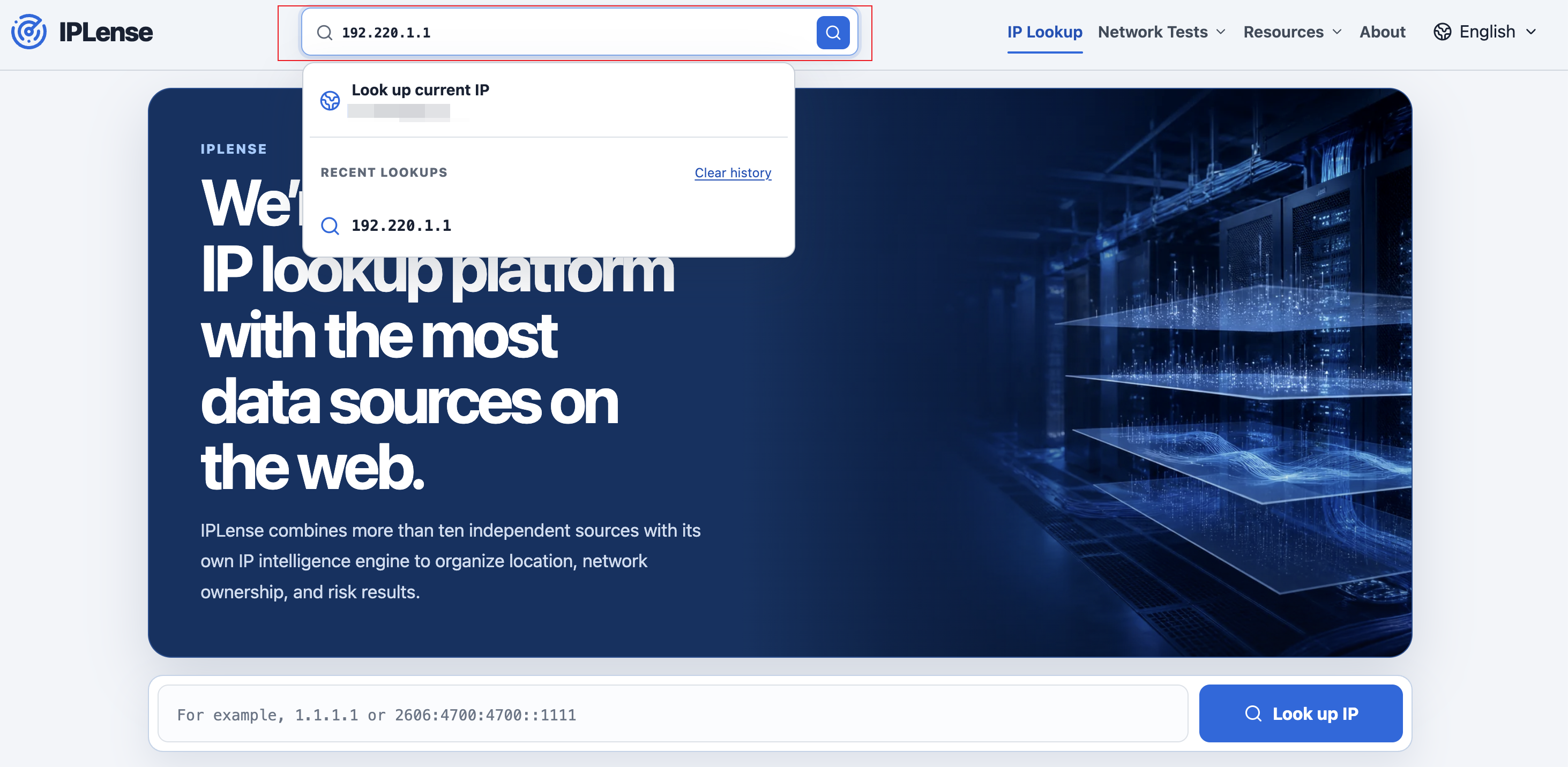
- Open https://iplense.cc/en/;
- Enter the IPv4 or IPv6 address;
- Select “Look up IP” and complete verification if requested.
2. Check the formal delivery standard
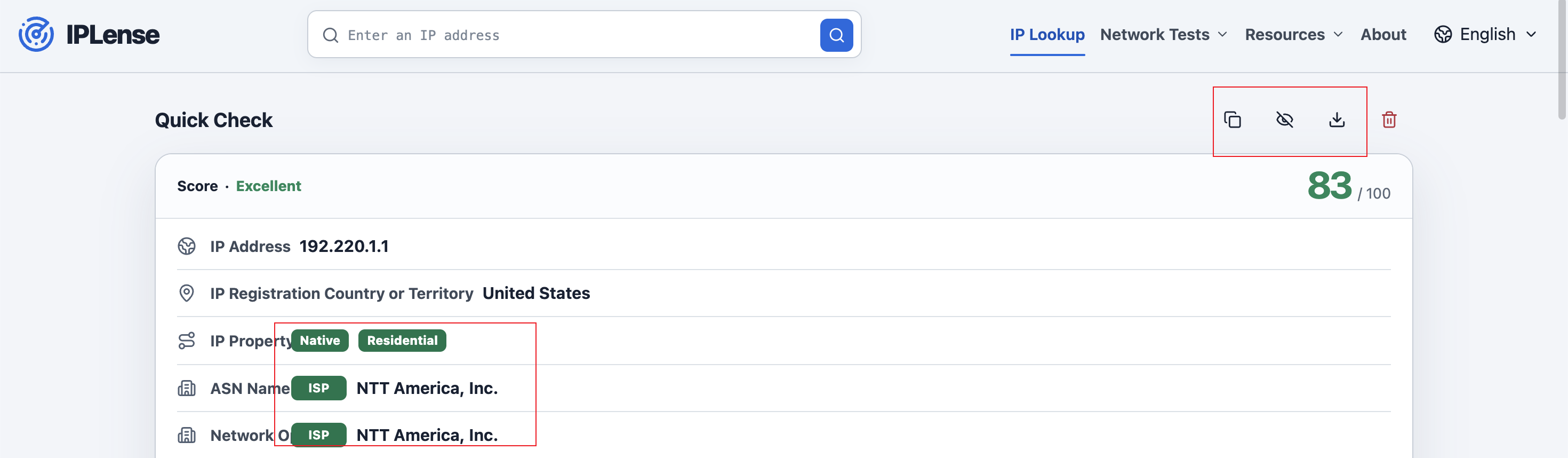
A Dual-ISP Residential IP must show all of the following:
- Residential or Home Broadband for IP Property;
- ISP for the ASN Name type label;
- ISP for the Operating Company type label.
A Dual-ISP Home Broadband IP must show all of the following:
- Home Broadband for IP Property;
- ISP for the ASN Name type label;
- ISP for the Operating Company type label.
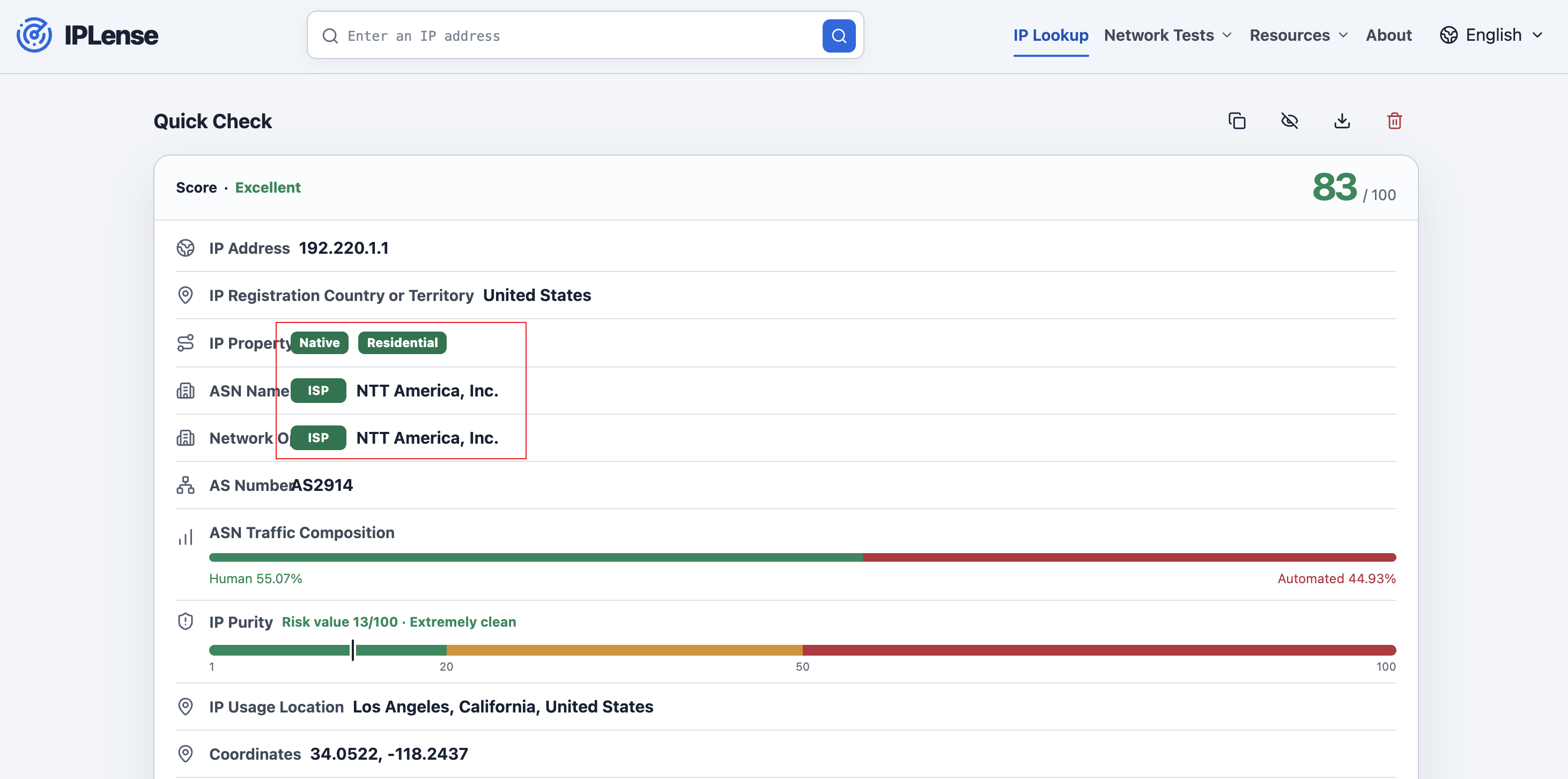
“Dual ISP” means that both ASN Name and Operating Company are classified as ISP in IPLense Quick Mode; it does not mean two physical lines. Professional Mode, database location, risk or purity values, platform results, and speed tests are not delivery standards.
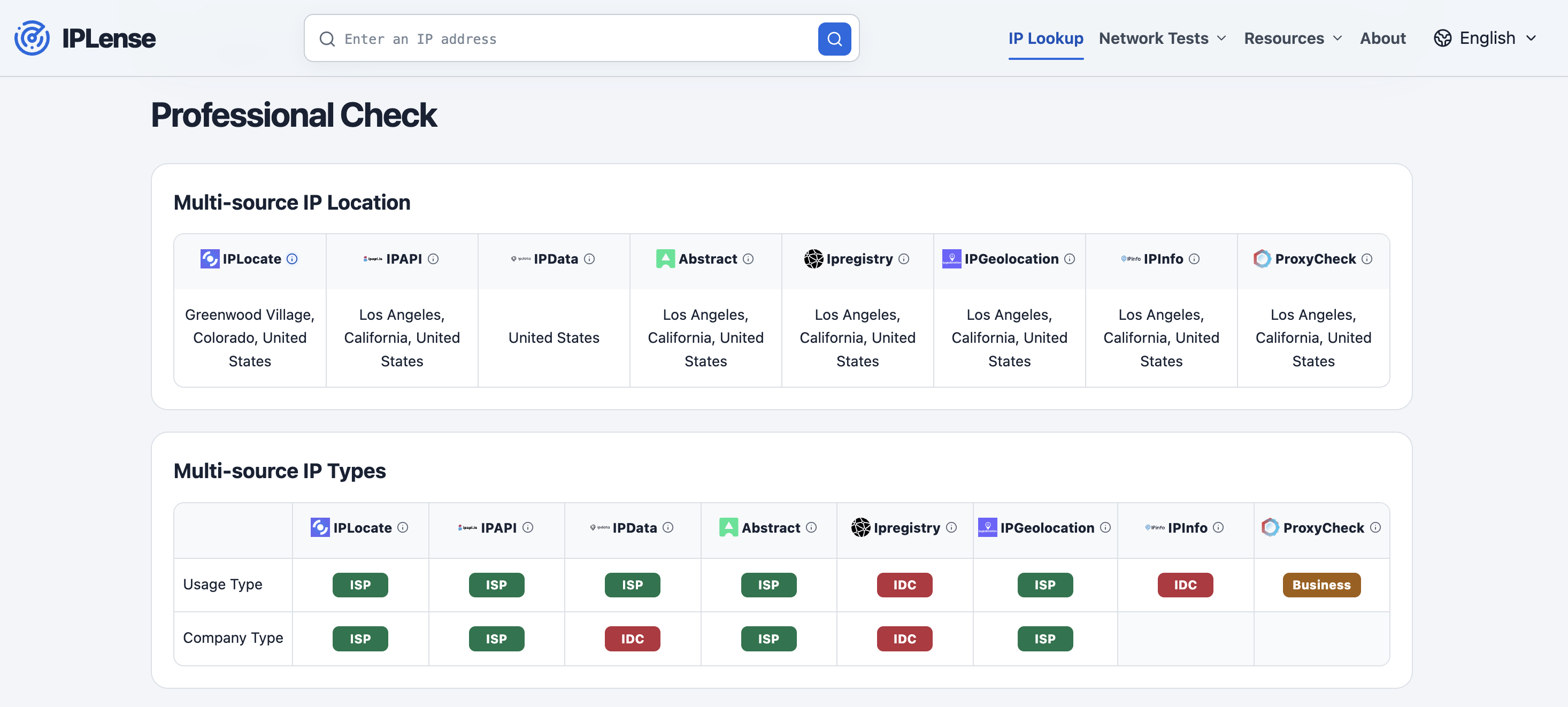
3. Professional Mode
Professional Mode shows the location, usage type, company type, and risk result returned independently by different data sources. It may be used to investigate database differences but is not a standalone delivery or refund standard.
4. Save the first-delivery result
The result page provides Copy Result, Hide IP, and Download PNG tools for preserving the first-delivery result. Compliance is determined from the IPLense Quick Mode result and system record at first delivery. Later database updates or reclassification do not retroactively change that result. Services delivered before the current standard took effect remain subject to the product page and Terms published at the time.
Refund eligibility is governed by the current Terms of Service.