

Last updated: August 29, 2026
This guide explains how to review the delivery result for a NovixLink Dual-ISP Residential or Dual-ISP Home Broadband IP. The formal standard uses the IPLense Quick Mode result at first delivery. Professional Mode shows the separate results from several mainstream databases for comparison.
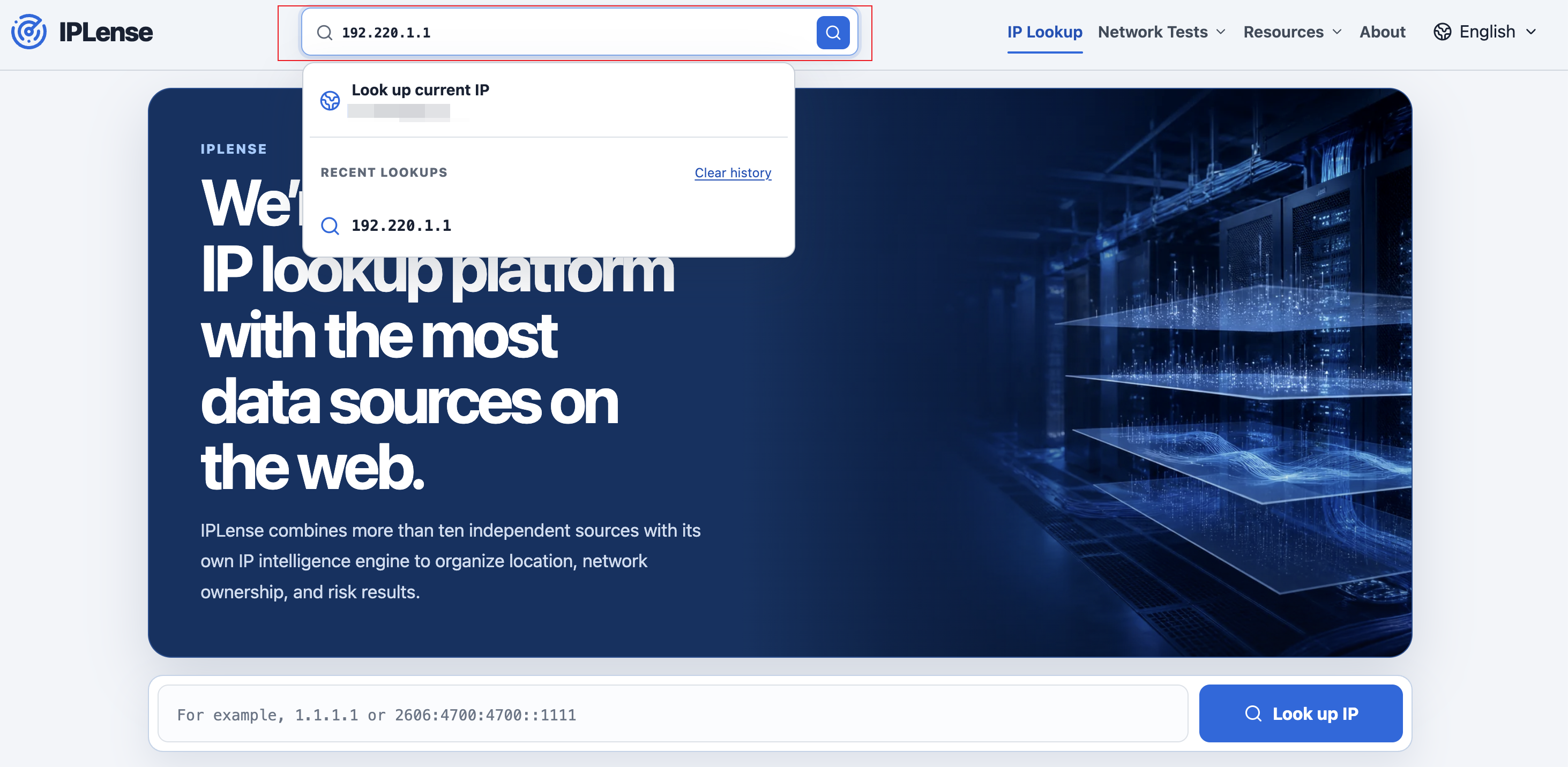
Step 1: Look up the IP
- Open https://iplense.cc/en/.
- Enter the address in the IPv4 or IPv6 lookup field.
- Select the IP lookup button. If a human-verification prompt appears, complete it and continue.
Step 2: Check the formal standard in Quick Mode
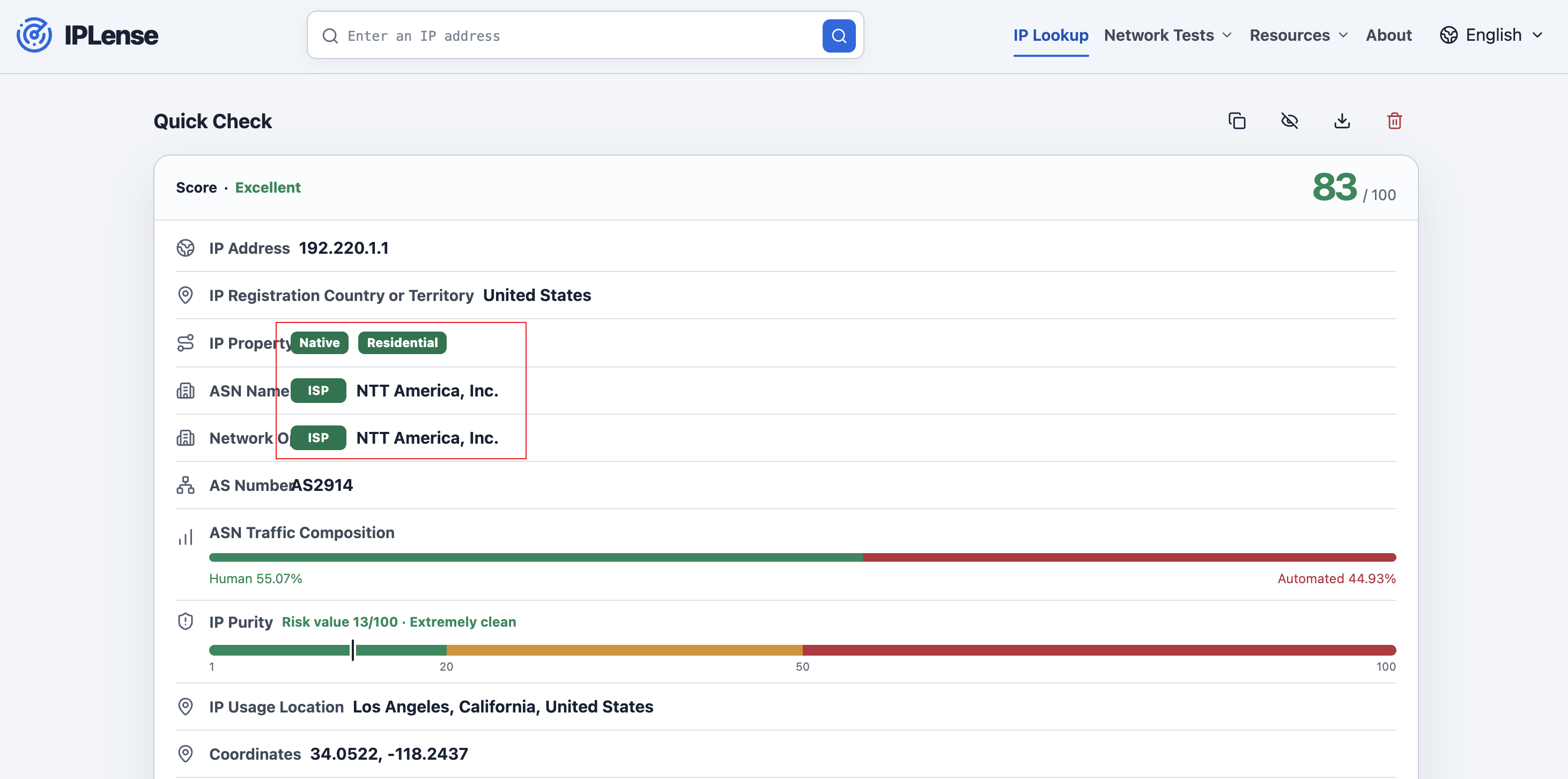
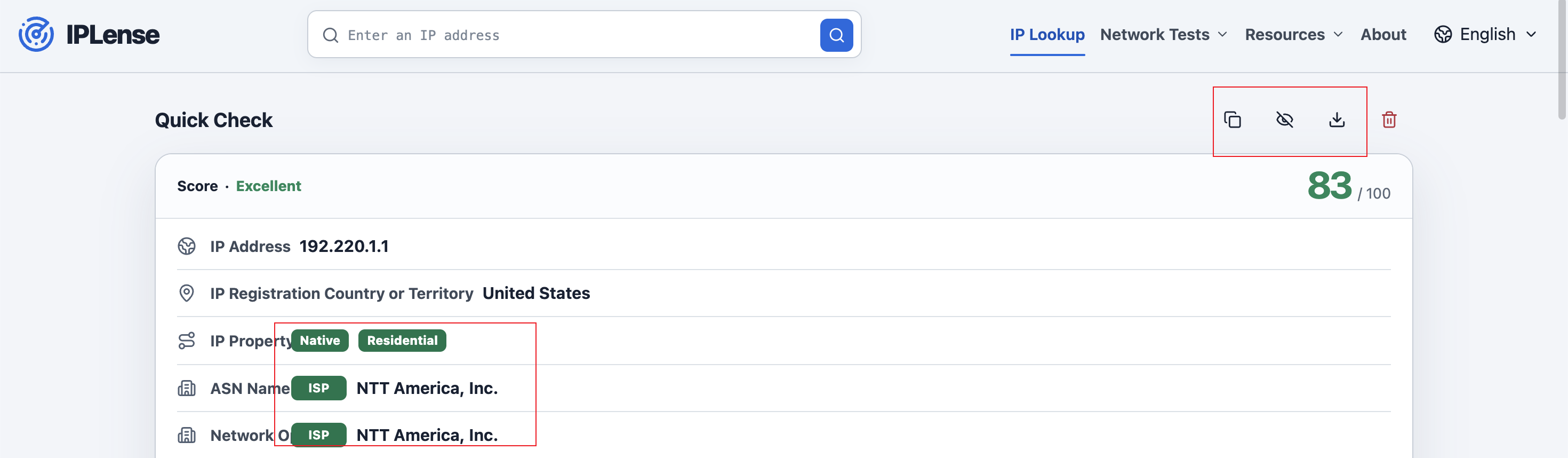
The result page opens in Quick Mode. A Dual-ISP Residential IP must satisfy all three conditions:
| Field | Required result | What it shows |
|---|---|---|
| IP Property | Residential or Home Broadband | Residential or Home Broadband |
| Type badge beside ASN Name | ISP | The network type associated with the ASN. |
| Type badge beside Operating Company | ISP | The type associated with the company operating the number resources. |
Step 3: Identify a Dual-ISP Home Broadband IP
A Dual-ISP Home Broadband IP must first satisfy the three Quick Mode conditions above. The organization operating the ASN must also provide fixed broadband, home internet, or a similar residential broadband service to households in the relevant country or market. This additional condition is based on the operator's actual business, not one lookup site's isolated label.
Step 4: Compare sources in Professional Mode
- Select the Professional Mode button at the bottom of the Quick Mode result.
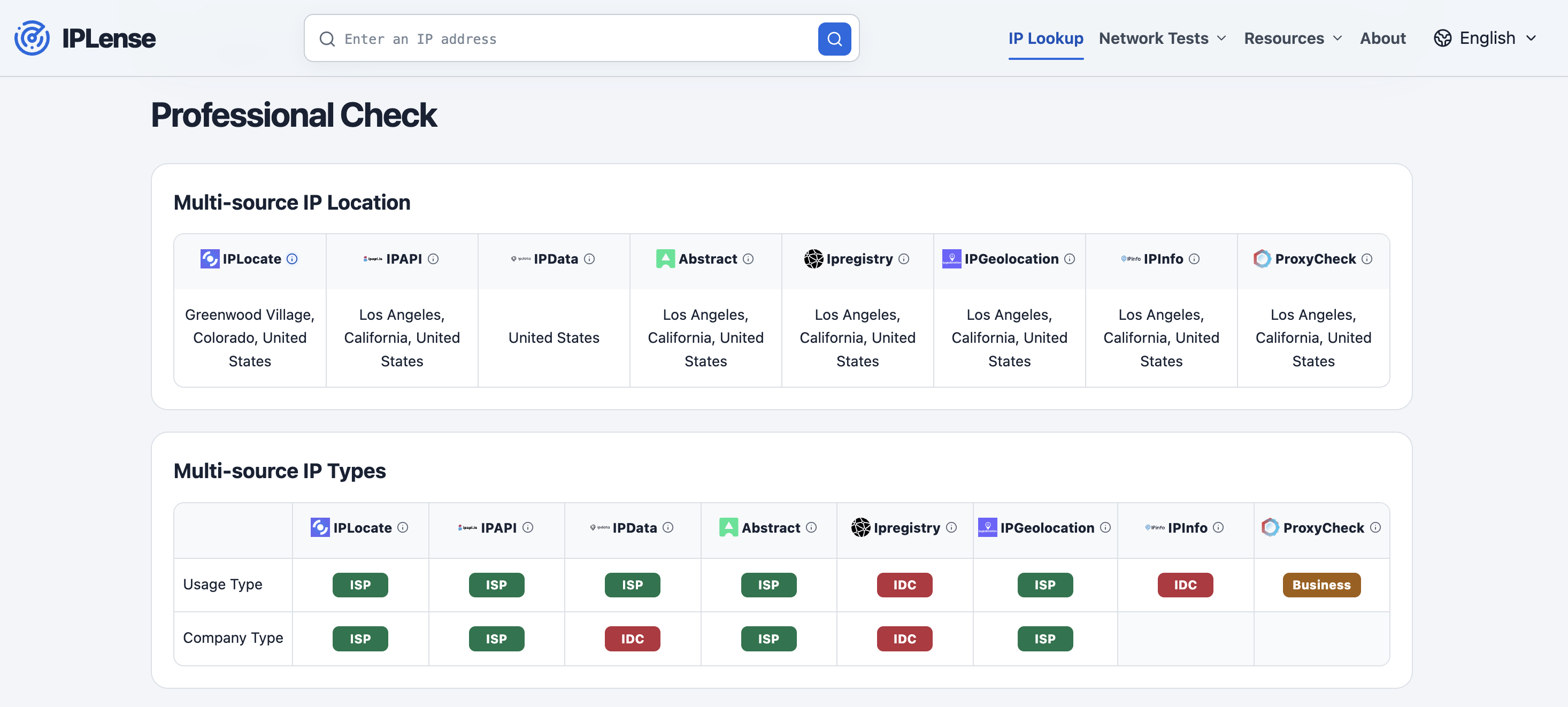
- Find the Multi-source IP Type table. It shows each provider's Usage Type and Company Type results separately.
Professional Mode currently includes IPLocate, IPAPI, IPData, Abstract, Ipregistry, IPGeolocation, IPinfo, and ProxyCheck. For the affected GTT and NTT addresses, most mainstream databases in Professional Mode continue to report an ISP classification.
Step 5: Save the first-delivery result
The result toolbar provides Copy Result, Hide IP, Download PNG, and Clear Result actions. Use Copy Result to retain the text or Download PNG to save the current result as an image. If the image will be shared publicly, select Hide IP first.
First delivery and later database changes
Delivery is assessed using the IPLense result at first delivery, system records, and other verifiable information. A later update or reclassification by one database does not retroactively change the first-delivery result. Orders delivered before the new standard took effect remain subject to the product page and Terms published at the time.
Full announcement: https://novixlink.com/announcements/80/?language=english
Current refund conditions: https://novixlink.com/legal/terms-of-services?language=english